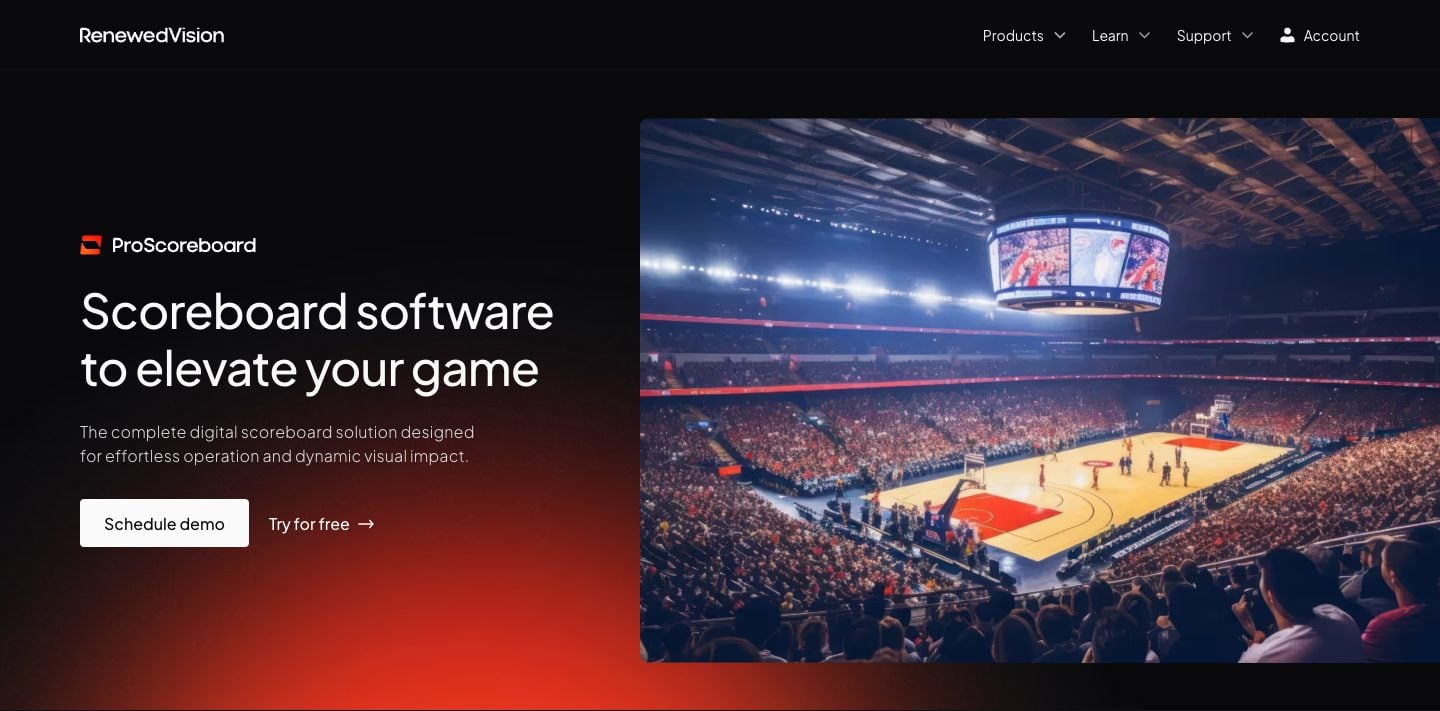
You're researching scoreboard software for a school gym, a church A/V booth, or a youth-league rec center. You found ProScoreboard. The screenshots look great. Then you saw the price — $2,500 a year — and you scrolled back up to check whether you missed a zero.
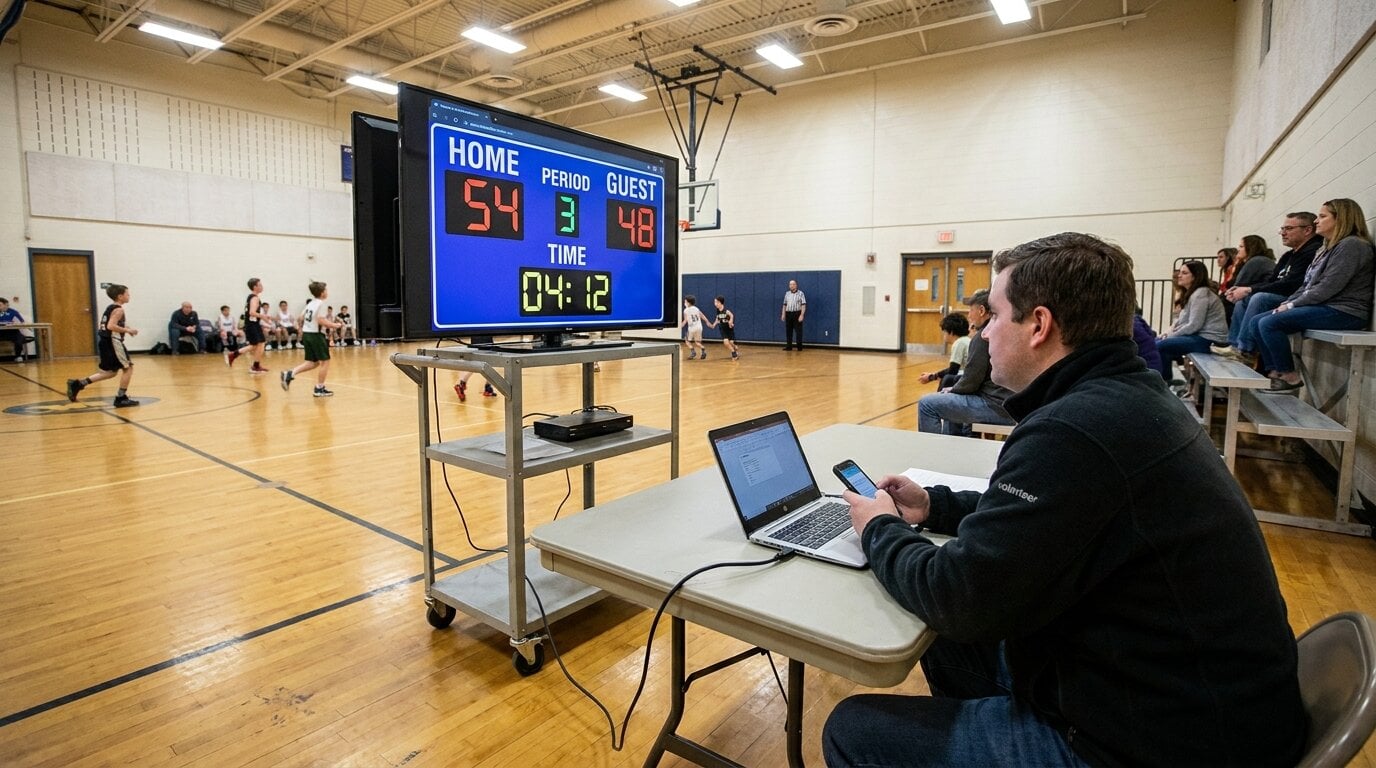
You didn't. ProScoreboard is real software, and for the venues it's built for, the price is defensible. The catch: most buyers aren't those venues. They're a school gym with a TV on a cart, or a church with a Wednesday-night basketball league, or a parent who streams their kid's volleyball games to grandparents.
This page is the honest comparison: what each tool is actually for, what you keep, what you give up. We checked ProScoreboard's price and features on Renewed Vision's website in October 2026.
What KeepTheScore is
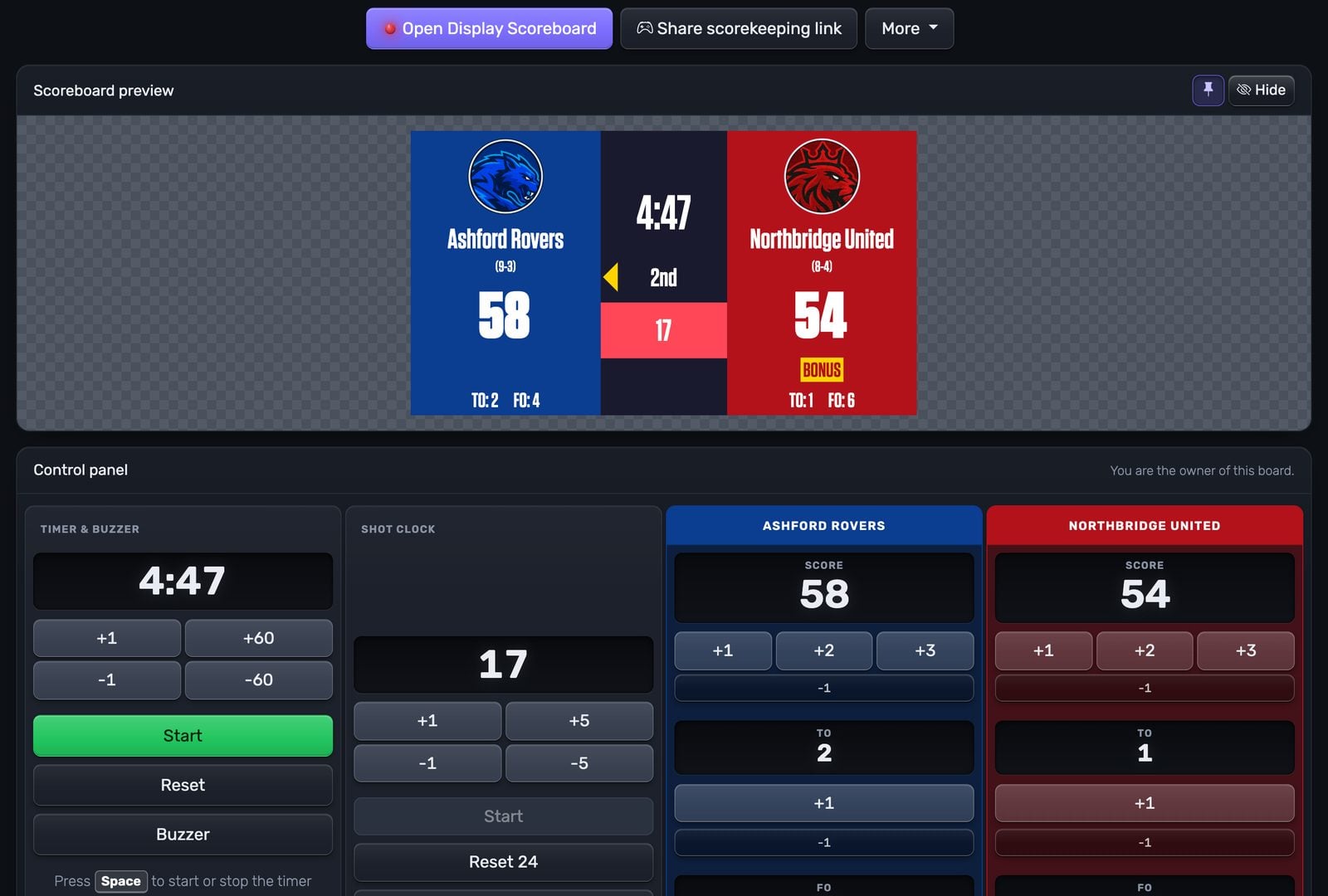
KeepTheScore is a browser-based scoreboard. You open a URL, pick a sport, and you have a working scoreboard. Display it fullscreen on a TV via HDMI, drop it into OBS as a stream overlay, or share the link so a parent in another state can follow live.
It runs on any operating system because it runs in a browser. No install, no admin rights, no dongle. Free tier with branding, paid plans from $14/month for custom logos, themes, and an ad-free display. Fifteen-plus sports — basketball, volleyball, soccer, baseball, hockey, tennis, pickleball, wrestling, and on. All included.
The audience is volunteer-run sports: schools, youth leagues, community clubs, churches running game nights, parents streaming from the bleachers.
What ProScoreboard is
ProScoreboard is Renewed Vision's scoreboard product, built on the same platform as ProPresenter. The flagship plan is $2,500/year for unlimited use on one device, macOS only (Mojave through Sequoia, M-series Macs supported, Mac Mini M4 cited as the minimum). You can download a free trial or subscribe online; a demo call is optional. They also sell a lower-cost Scoretable Edition through hardware resellers — Boostr, Formetco, Digital Scoreboards — usually paired with physical scorer's tables and LED displays.
It's a serious piece of software. Player profiles with photos and statistics. Live data ingestion from Statcrew, Genius Sports XML, and the MLB API — your scoreboard updates as plays come off the wire. Sponsor ad zones with impression reporting. Output via HDMI, SDI, or NDI to a venue display chain. A multi-screen / ribbon-board capability is listed as Coming Soon natively (today it relies on Renewed Vision's separate ProVideoPlayer product).
ProScoreboard is built for venues that already have a Mac-based AV booth, a broadcast workflow, and a budget where $2,500/year is a routine line item. For those venues, it's a strong product.
The actual question: which kind of venue are you?
The two tools don't really compete in the same buying cycle. The decision usually comes down to four questions.
Is your projection PC a Mac?
ProScoreboard requires macOS. If your gym, school, or church runs Windows, ChromeOS, or a mix, ProScoreboard isn't an option — full stop. KeepTheScore runs in the browser, so the operating system of your projection PC doesn't matter.
This is the single biggest filter. A lot of buyers narrow themselves out at this question without realizing it.
Do you need broadcast-grade output (NDI / SDI / live data feeds)?
NDI and SDI are the cabling standards used in real broadcast workflows — TV studios, college athletics with multi-camera switchers, venues piping video to a control room. If those words mean something to your AV team, ProScoreboard's output options matter to you.
If you're going to plug a laptop into a TV via HDMI, none of that matters. KeepTheScore on HDMI is the same picture quality as anything else on HDMI.
Same logic for live data feeds. Statcrew and Genius Sports are real sources for college and pro venues. They're not what a youth league uses to track scores.
Do you also stream games to YouTube or Facebook?
If yes, KeepTheScore has the easier path. The scoreboard URL drops into OBS, Streamlabs, or vMix as a browser source with a transparent background. No window-capture hacks, no screen-cropping. The same scoreboard works as both an in-venue display and a clean stream overlay, controlled from one phone.
ProScoreboard is built primarily for venue output. Streaming integration is possible but isn't the main path the product was designed around.
What's the budget mental model?
ProScoreboard at $2,500/year makes sense if your AV budget already runs in five figures and a scoreboard is one line item among many. The Scoretable Edition (sold via resellers) brings the price down, but it's typically bundled with hardware.
KeepTheScore is from $14/month. The free tier covers most basic use cases without payment. If you're trying to put a clean scoreboard on a gym TV without writing a procurement memo, that's the design point.
Where ProScoreboard genuinely wins
Worth saying clearly: there are three things ProScoreboard does that KeepTheScore doesn't.
- Player profiles with photos and stats baked into the scoreboard. KeepTheScore has player photos on select sports as a paid feature, but it's not the same as a roster system with positions and season stats. If your scoreboard shows a player's headshot every time they're at bat, that's a ProScoreboard feature today.
- Live data ingestion from real broadcast sources. Statcrew, Genius Sports XML, and the MLB API are wired in. Your scoreboard updates from upstream data without a human entering scores.
- Sponsor ad zones with impression tracking. If you sell scoreboard sponsorships and need real ad-rotation reporting, ProScoreboard has that workflow. KeepTheScore lets you put a sponsor logo on the scoreboard, but it's not an ad-tracking system.
If any of those three are non-negotiable for your venue, stop reading and budget for ProScoreboard. The product is genuinely good at what it does.
Where KeepTheScore wins for everyone else
For schools, churches, youth leagues, and community broadcasters — most of the buyer pool — the win list looks like this:
- Runs on any device. Mac, Windows, Chromebook, iPad, phone. The projection PC's OS doesn't matter.
- Free tier with no credit card. You can have a working scoreboard on the gym TV before lunch.
- Native streaming overlay. OBS browser source, transparent background, no extra software. The same scoreboard works for the in-room TV and the YouTube stream at once.
- Multiple volunteers, multiple devices. Two parents and a coach can all open the admin link from their own phones and update the score from the bleachers, the scorer's table, and the press box at once.
- Wider sport coverage. Pickleball, badminton, wrestling, multisport, multiteam — sports that don't make ProScoreboard's "major sports" list.
- Setup measured in seconds. Pick a sport, type team names, fullscreen on the TV. No install, no Mac.
Use them together
The most common pattern we see in the wild isn't "switch from ProScoreboard to KeepTheScore." It's churches and schools that already use ProPresenter, EasyWorship, MediaShout, or Proclaim for their service slides — and want a live scoreboard inside that presentation flow without buying a separate scoreboard product.
The fix is a web slide: every major presentation app supports loading a URL as a slide, and a KeepTheScore presentation link is just a URL. We have a full step-by-step guide for ProPresenter, EasyWorship, MediaShout, and Proclaim.
That's the actual everyday use case for a lot of churches: keep the presentation software you already paid for, add KeepTheScore for the scoring side. No second scoreboard purchase, no Mac requirement, no broadcast workflow.
Pricing, side by side
| Plan | KeepTheScore | ProScoreboard |
|---|---|---|
| Free tier | Yes (works forever, small branding) | No (free trial only) |
| Entry paid plan | From $14/month billed annually | — |
| Standard plan | Included sports, custom themes, no branding | $2,500/year (flagship) on one Mac at a time |
| Lower-cost edition | — | Scoretable Edition via resellers (Boostr, Formetco, Digital Scoreboards) |
| Sales process | Self-serve checkout | Self-serve subscription or free trial; demo optional |
The price comparison gets sharper if you specify which ProScoreboard SKU you mean. The "10–20× our price" framing is true if you're comparing the $2,500/year flagship plan against KeepTheScore's $14/month plan. The Scoretable Edition is cheaper, but it's typically bundled with physical hardware through a reseller, which is a different purchase entirely.
The bottom line
If your venue is a Mac-based AV booth running a broadcast workflow with NDI output, live data feeds, sponsor ad rotation, and player profiles on every play — ProScoreboard is the right tool. The $2,500/year is paying for capability you'll actually use.
For everyone else — the gym with a TV on a cart, the church running game nights inside ProPresenter, the parent streaming volleyball to grandparents — KeepTheScore is built for that use case. Free to try, $14/month if you want it polished, runs on any device, native streaming overlay, scorekeeping from anyone's phone.
Pick the tool that fits the venue, not the marketing pitch.
Feature Comparison
| Feature | KeepTheScore | ProScoreboard |
|---|---|---|
| What it is | Cross-platform web scoreboard for any sport | Mac scoreboard built around broadcast features |
| Who is it for | Schools, leagues, churches, parents, streamers | Mac-based AV booths running broadcast-grade venues |
| Core capability | Runs anywhere, free tier, 15+ sports, OBS-native | Player profiles, NDI/SDI output, live data feeds |
| Starting cost | Free; paid from $14/mo | $2,500 / year (flagship) |
| Free tier | ✓ | No (free trial only) |
| Self-serve signup | ✓ | Yes (free trial download, online subscription; demo optional) |
| Platform | Any browser (Windows, Mac, ChromeOS, iOS, Android) | macOS only (Mojave through Sequoia) |
| Setup time | Under a minute | Mac install + venue config |
| Sports covered | 15+ | ~9 (football, basketball, baseball, volleyball, soccer, hockey, tennis, lacrosse, Aussie rules) |
| Player profiles with photos | Player photos on select sports (paid) | Yes (full profiles, stats, headshots) |
| Live data ingestion (Statcrew / Genius / MLB API) | ✗ | ✓ |
| NDI / SDI output | No (HDMI via display) | ✓ |
| Native OBS / Streamlabs / vMix overlay | Yes (browser source, transparent background) | Limited (designed for venue output) |
| Sponsor ad zones with impression reporting | ✗ | ✓ |
| Multi-screen / ribbon-board native | ✗ | Coming soon (currently via separate ProVideoPlayer) |
| Mobile remote control | Yes (browser, any device) | Yes (browser-based remote) |
| Custom team colors and logos | Yes (paid) | ✓ |
| Pricing model | Monthly or annual subscription | Annual subscription, one device at a time |
Which One Should You Choose?
Choose ProScoreboard if...
- You run a Mac-based AV booth and want a broadcast-grade scoreboard
- You need NDI or SDI output to a venue display chain
- You ingest live data from Statcrew, Genius Sports XML, or the MLB API
- You want player profiles with photos and stats baked in
- Your budget treats $2,500/year (or the lower-cost Scoretable Edition via resellers like Boostr or Formetco) as routine AV spend
Choose KeepTheScore if...
- You're not on a Mac (or your projection PC runs Windows or ChromeOS)
- You want to start free and see the scoreboard before paying
- You stream games and need a native OBS / Streamlabs / vMix overlay
- You also need a stream overlay, not just an in-venue display
- Your scoreboard goes on a TV or projector, not a stadium-grade display chain
- You cover more than the major US sports — pickleball, badminton, wrestling, multisport
- Multiple volunteers need to control the board from their own phones
Frequently Asked Questions
"Is KeepTheScore a true alternative to ProScoreboard?"
For most schools, churches, and youth leagues — yes. For broadcast-grade venues running Statcrew or Genius Sports feeds with NDI output, no. KeepTheScore covers the in-venue + streaming use case at a fraction of the cost. ProScoreboard covers the broadcast-feed + sponsor-rotation use case that the $2,500/year price tag is built for.
"Why is ProScoreboard so much more expensive?"
It's priced like venue-grade broadcast software, not consumer scoreboard software. The $2,500/year flagship plan includes player profiles, live data ingestion, ad-impression tracking, and NDI/SDI output. Renewed Vision also sells a lower-cost Scoretable Edition through hardware resellers (Boostr, Formetco, Digital Scoreboards). If you don't need broadcast features, you're paying for a tier of capability you won't use.
"Can I run KeepTheScore inside ProPresenter?"
Yes. ProPresenter's Web View action loads any URL — including a KeepTheScore presentation link. We have a full guide for embedding a live scoreboard inside ProPresenter, EasyWorship, MediaShout, or Proclaim. This is the most common way our church customers use the two products together.
"Does ProScoreboard work on Windows?"
No. ProScoreboard is macOS-only (Mojave through Sequoia). If your AV booth runs Windows, ChromeOS, or a mixed environment, ProScoreboard isn't an option. KeepTheScore runs in the browser on every operating system.
"What about live streaming?"
KeepTheScore was built around streaming. Every scoreboard URL drops into OBS, Streamlabs, or vMix as a browser source with transparent backgrounds for clean scorebug overlays. ProScoreboard is built primarily for in-venue broadcast output (HDMI / SDI / NDI). If your priority is a livestream overlay for Facebook or YouTube, KeepTheScore is the simpler path.
"Can I switch from ProScoreboard to KeepTheScore mid-season?"
There's nothing to migrate. Create a scoreboard at KeepTheScore, open the URL on whatever device feeds your display, and you're done. Most organizations test during practice games and switch over once scorekeepers are comfortable.
Try KeepTheScore Today
No $2,500 invoice. No Mac required. Create your first scoreboard in under a minute and try it free on any screen you already own.
Information about ProScoreboard was accurate as of October 2026. Visit https://www.renewedvision.com/proscoreboard for latest details.