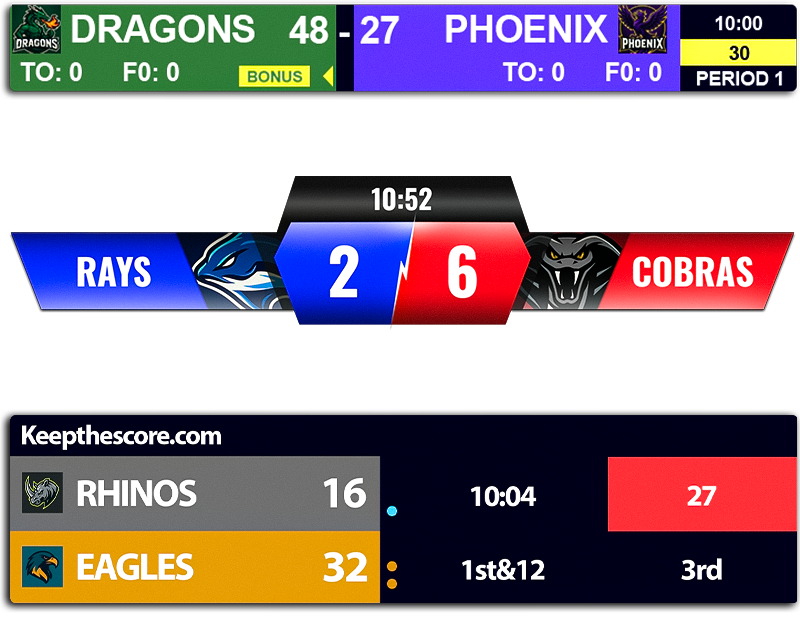


A scorebug is a small on-screen graphic used in live sports broadcasts to display the score, game clock, period, and team names — the persistent overlay in the corner or along the top of the screen that lets viewers read the game state at a glance.
You've seen one on every NFL game, every NBA broadcast, every televised soccer match. Glance at it, get the score, look back at the play. This page explains exactly what a scorebug is and what it shows — and then walks you through making your own, free, for your stream.
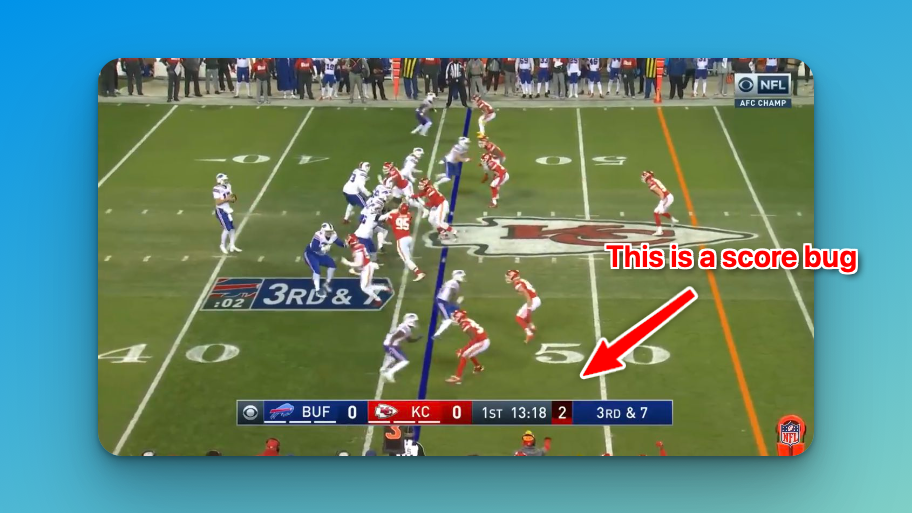
What is a scorebug?
A scorebug is the persistent graphic that sits over a live sports broadcast or stream and shows the current state of the game. Before scorebugs existed, networks only flashed the score during breaks — coming back from commercial, going to commercial — and during play you simply waited for the announcer. The scorebug fixed that by keeping the essentials on screen the whole time.
Every scorebug shows the same baseline information:
- Team names or abbreviations (often with logos)
- Current score
- Game clock or time remaining
- Period, quarter, half, set, or inning
It's also commonly called a score bug (two words) — the terms are interchangeable. For the origin of the name and a full history, see our deep dive on broadcast scorebugs by network.
What does a scorebug show?
Beyond the baseline, the extras depend on the sport. The richer the sport's state, the more a scorebug has to display:
- Football — down and distance, possession, timeouts, play clock, red-zone indicator
- Basketball — shot clock, team fouls, bonus, possession arrow
- Baseball — inning, outs, base runners, balls and strikes, pitch count
- Soccer — match time, added time, aggregate score in tournament play
- Tennis & volleyball — sets, games or points in the current set, serve indicator
For how each major network designs these — Fox, CBS, NBC, ESPN — and the redesigns fans argue about every season, see broadcast scorebugs by network.
How to make a scorebug
Professional broadcast scorebug systems cost serious money — the rigs the major networks use run $5,000 to $50,000 or more. You don't need any of that. With KeepTheScore you build a web-based scoreboard that works as an OBS browser source: nothing to install, and you update the score from your phone while it appears instantly in your stream.
Step by step
- Click the button above to create a scoreboard.
- Pick your sport — this configures the right fields automatically (down & distance, shot clock, innings, and so on).
- Customize the colors and layout to match your stream.
- Copy the browser-source URL.
- Add it as a browser source in OBS or your streaming software.
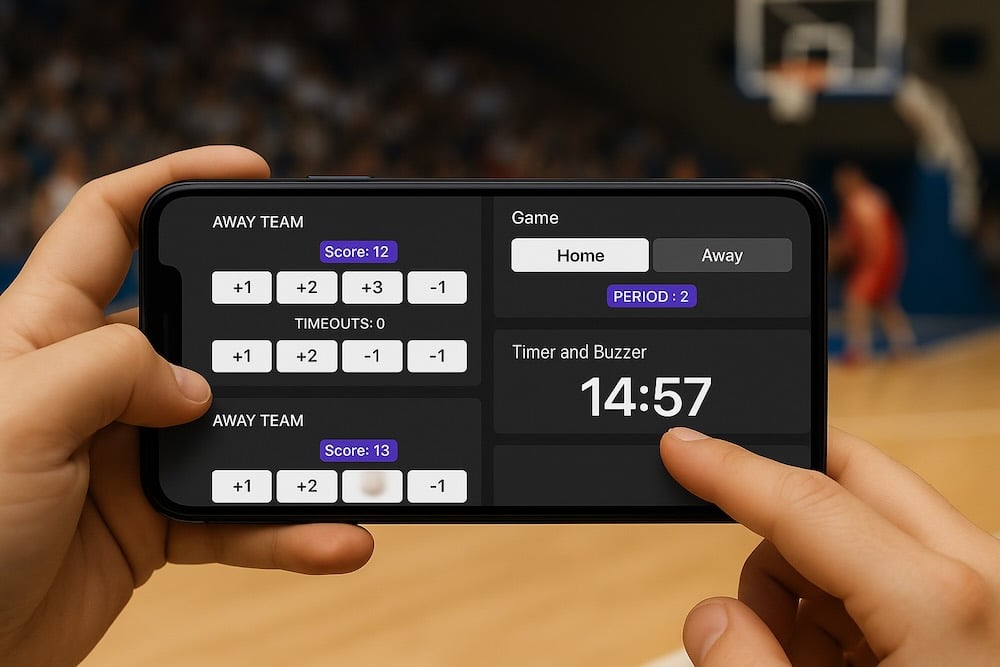
The mobile control piece is what makes this practical. Update scores from courtside, the press box, or the bleachers — the change shows up in your stream instantly. Multiple people can have access, so your color commentator can update the score while you handle the camera.
Scorebug maker vs. broadcast graphics
You don't need a network's graphics department to put a clean scorebug on your stream. Here's how a browser-based scorebug maker compares to traditional broadcast systems.
| KeepTheScore | Broadcast graphics systems | |
|---|---|---|
| Cost | Free to start, no install | $5,000–$50,000+ hardware and software |
| Setup | Browser source in OBS, minutes | Dedicated operator and hardware |
| Control | From any phone or laptop | Control-room console |
| Best for | Streamers, schools, clubs, local leagues | National TV networks |
The gap between a network broadcast and what one person can produce from a laptop has narrowed dramatically. You won't match ESPN's full production, but you can get surprisingly close on the scorebug itself.
Scorebug for OBS, Streamlabs & vMix
A KeepTheScore scorebug works with any streaming software that supports browser sources. We have specific setup guides for the common tools:
Or browse all sports to start from a layout built for your game.
Create your scorebug
Build a scoreboard, drop it into OBS as a browser source, and control it from your phone. Free to start — no install, no broadcast budget.
Frequently asked questions
What is a scorebug?
A scorebug is a small on-screen graphic used in live sports broadcasts to display the score, game clock, period, and team names. It is the persistent overlay in the corner or along the top of the screen that lets viewers read the current game state at a glance, without waiting for the commentator.
What is the difference between a scorebug and a scoreboard?
A scorebug is the on-screen graphic overlaid on a video broadcast or stream. A scoreboard is the underlying tool or display that tracks the score. With KeepTheScore, you build a scoreboard and add it to your stream as a browser source — at which point it appears on screen as your scorebug.
Why is it called a "bug"?
Broadcast engineers have long called small, static on-screen graphics "bugs" — like a bug resting in the corner of a window. Network logos were called bugs for the same reason, and the persistent score graphic inherited the label as the "score bug".
How do I add a scorebug to OBS?
Create a scoreboard in KeepTheScore, copy its browser-source URL, and in OBS add a new Browser source with that URL. The scorebug appears as a transparent overlay on your stream and updates live as you change the score from your phone or laptop. See our OBS scoreboard guide for the full walkthrough.
Can I make a scorebug for free?
Yes. KeepTheScore is browser-based with a free plan, so you can create a working scorebug overlay without installing anything or paying up front. You control the score from any device, and the overlay updates in your stream instantly.
What sports does the scorebug maker support?
KeepTheScore supports football, basketball, baseball, soccer, hockey, volleyball, tennis, and many more. Choosing a sport configures the right fields automatically — down and distance for football, shot clock for basketball, innings and outs for baseball, and so on.