Turn Any Screen Into a Professional Scoreboard
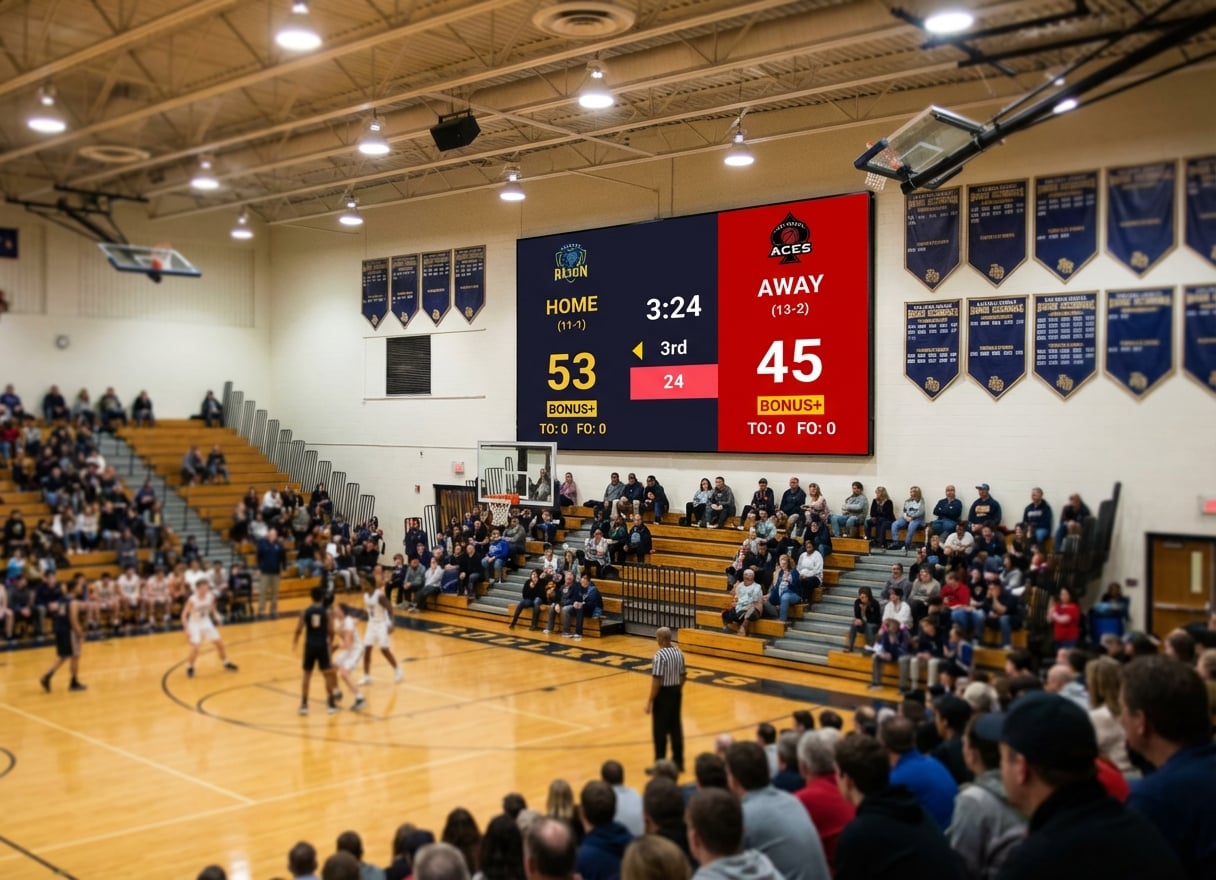
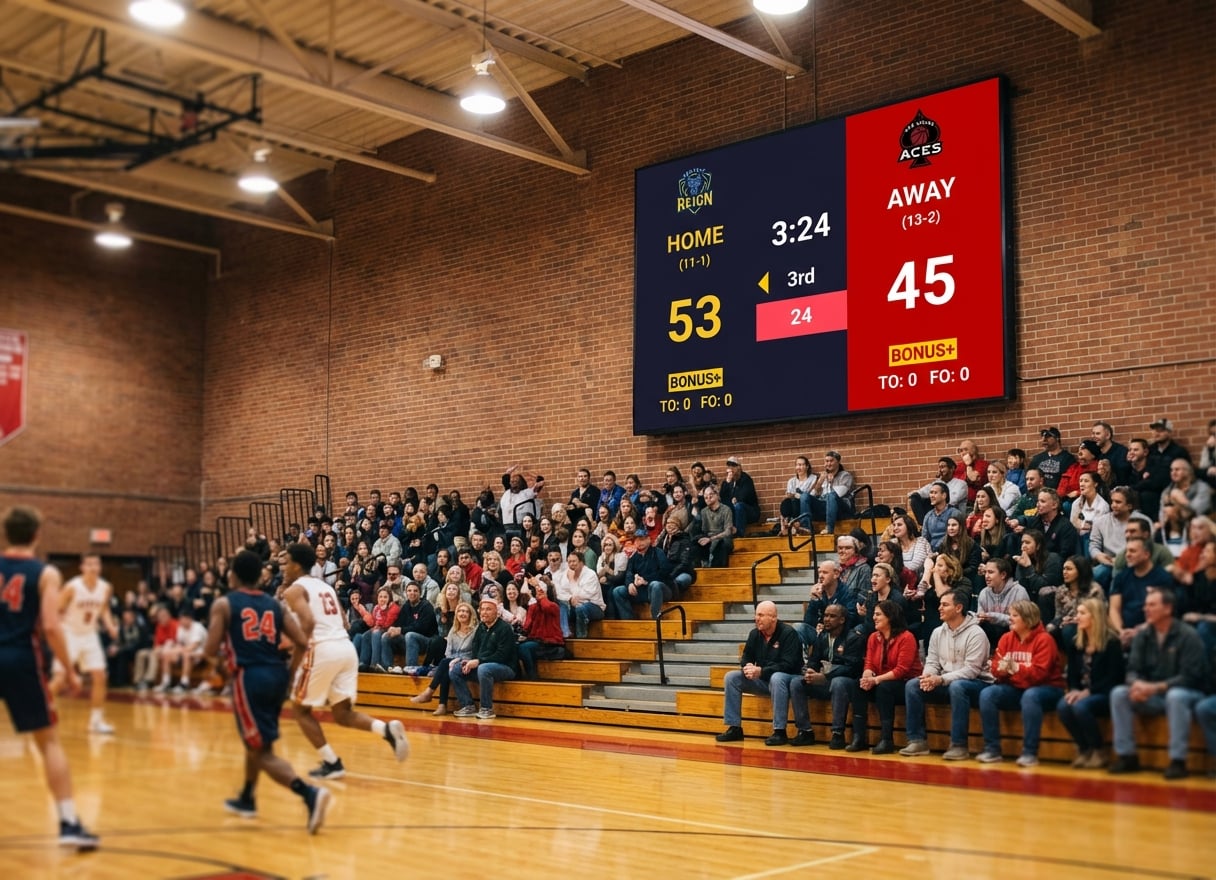
Professional scoreboard software for school gyms, sports halls, and arenas. Works with LED video walls, large TVs, and projectors—no expensive integrated system required.
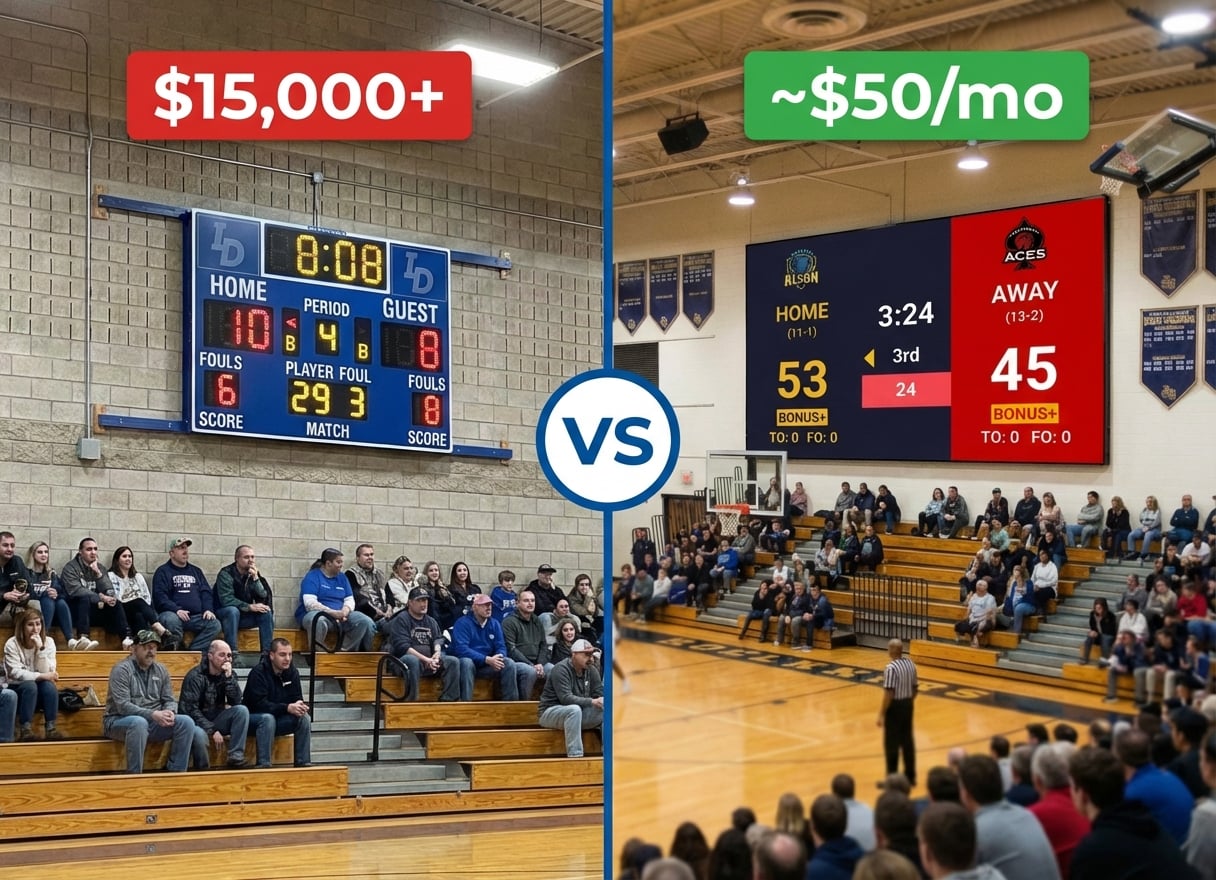
Why Buy a $20,000 Scoreboard When You Already Have the Screen?
You've got an LED wall. A projector. Maybe a large TV in your gym. You just need software to turn it into a scoreboard.
Traditional gym scoreboards cost $10,000 to $50,000+ because they bundle the display with proprietary hardware. But KeepTheScore runs on any device and displays on any screen via HDMI.
The math is simple:
| Solution | Cost |
|---|---|
| Traditional integrated scoreboard | $15,000 - $50,000 |
| KeepTheScore | ~$50/month or less |
Your existing display already cost thousands. Why pay again?
How It Works (3 Simple Steps)
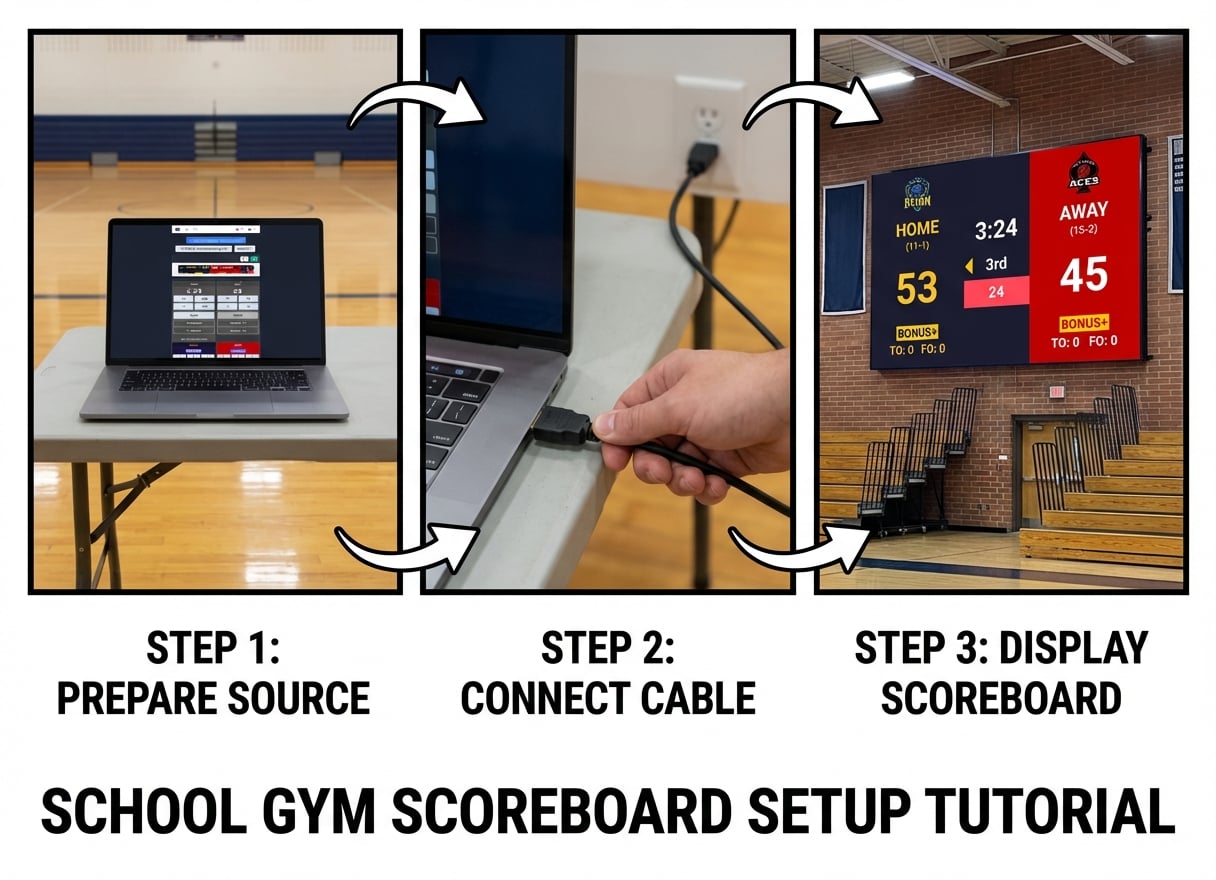
1. Connect Your Display
Plug any laptop, PC, Chromebook, or tablet into your LED wall, TV, or projector via HDMI. That's it.
2. Open KeepTheScore
No installation required. Just open your web browser and go to keepthescore.com. Choose your sport and create a scoreboard.
3. Go Fullscreen
Press F11 (or your display's fullscreen option). You now have a professional scoreboard running on your gym's display.
Bonus: Control it from any phone, tablet, or computer on your WiFi network. Update scores from courtside without running to the laptop.
Built for Every Sport in Your Gym
Basketball Scoreboard
- Game clock with tenths-of-second precision
- Shot clock (24, 30, or 35 seconds)
- Period tracking (quarters or halves)
- Team fouls with bonus indicators
- Possession arrow
- Timeout tracking
Volleyball Scoreboard
- Set scores and match tracking
- Rally scoring or sideout
- Automatic side switching
- Rotation tracking
- Set point indicators
Wrestling Scoreboard
- Match clock with period tracking
- Riding time display
- Dual meet team scores
- Period-by-period scoring
- Tournament mode
Multi-Sport Flexibility
Works with football, hockey, soccer, baseball, badminton, pickleball, and more. If your sport needs a game clock, scores, and periods, we've got you covered.
Update Scores From Anywhere in Your Gym
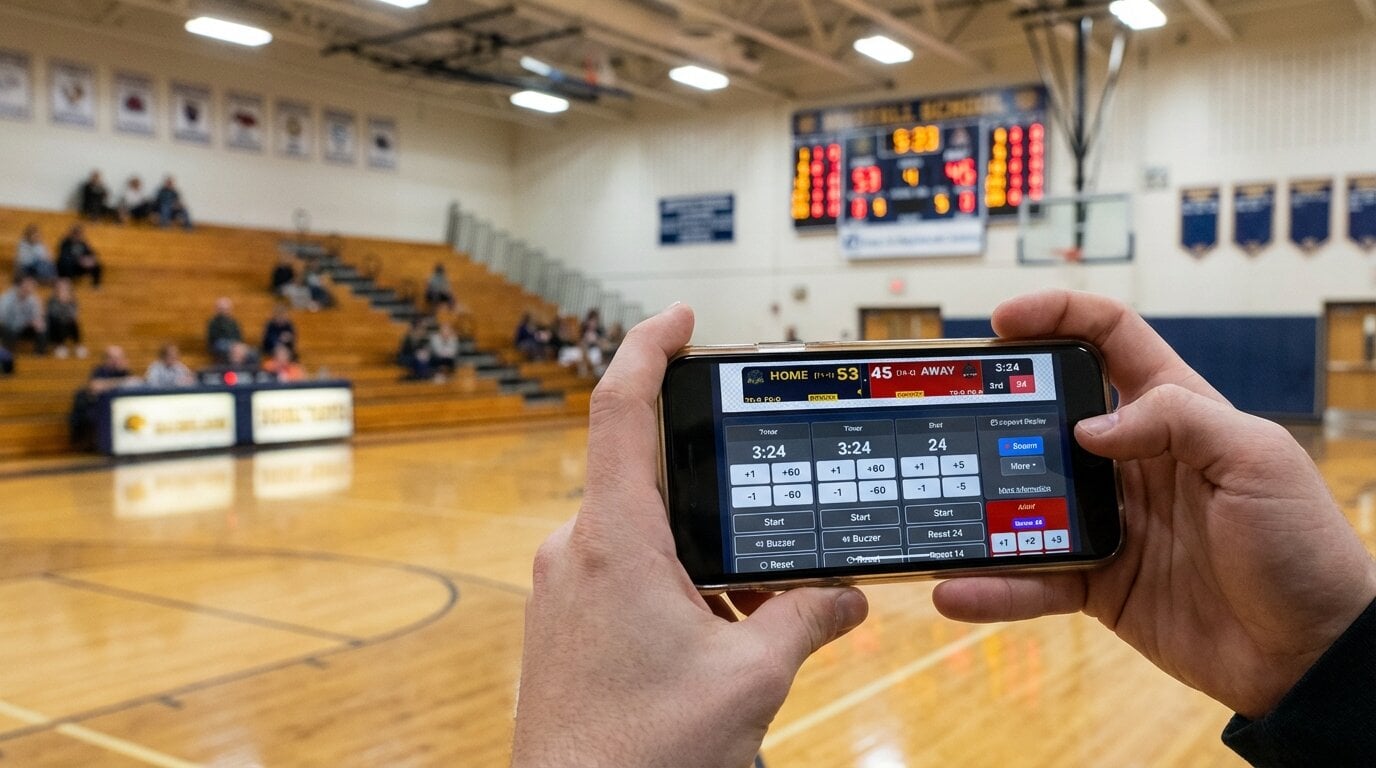
No need to run back and forth to the laptop. Anyone with the link can update the scoreboard from:
- Your phone - Courtside updates without leaving your seat
- A tablet - Hand it to a student scorekeeper
- Another computer - Have a dedicated operator at the scorer's table
Multiple operators can update simultaneously—perfect for tournaments where different people manage clock and score.
Works over WiFi. No proprietary remotes, no complicated setup. For tactile control, add an Elgato Stream Deck for physical button operation.
Works With Any Display
LED Video Walls
Compatible with Novastar, Brompton, Colorlight, and all major LED controllers. If your LED wall accepts HDMI input, it works.
Large TVs
School gym TVs, sports bar displays, waiting room screens—any TV with HDMI works perfectly.
Projectors
Display on your gym wall, ceiling screen, or portable projection setup. Great for temporary venues.
Technical Requirements: Any screen that accepts HDMI input. Resolution automatically adjusts from 720p to 4K.
Why Schools Choose KeepTheScore
No Procurement Headaches
Affordable Monthly Pricing: Around $50/month or less depending on package—a fraction of traditional scoreboard costs.
No Installation Required: Runs in your web browser. Works on Windows, Mac, Chromebook, iPad—whatever devices your school already has.
No Proprietary Hardware Lock-In: Never worry about discontinued parts, expensive service contracts, or vendor dependencies.
Works on Chromebooks
Most schools standardize on Chromebooks. Unlike traditional scoreboard software that requires Windows, KeepTheScore works perfectly on Chrome OS.
Multiple Gym Support
Need scoreboards for 3 different gyms? Just open 3 browser tabs. No per-location licensing fees.
The Real Cost Comparison
Traditional Integrated Gym Scoreboard
| Item | Cost |
|---|---|
| Initial cost | $10,000 - $50,000 |
| Installation | $1,000 - $5,000 |
| Annual service contract | $500 - $2,000 |
| 5-year total | $15,000 - $60,000+ |
KeepTheScore + Your Existing Display
| Item | Cost |
|---|---|
| Initial cost | ~$50/month |
| Installation | Plug in HDMI cable |
| Service contract | None needed |
| 5-year total | ~$3,000 |
The LED wall or TV you already have works perfectly. Why pay for another screen?
Additional Features
Custom Branding (PRO)
Add your school logo, team colors, and sponsor logos. Make it look professional for games and fundraising events.
Remove Branding (PRO)
Hide the "Keepthescore.com" watermark. Clean, professional appearance for official games.
Streaming Integration
Broadcasting games on YouTube or Facebook Live? The same scoreboard works as a stream overlay in OBS, Streamlabs, or vMix. One setup, multiple uses.
Remote Viewing
Every scoreboard has a shareable view-only URL. Parents and fans can follow games remotely from anywhere.
Frequently Asked Questions
Will this work with our specific LED wall system?
If your LED wall has a media player or controller that accepts HDMI input, yes. We work with Novastar, Brompton, Colorlight, and all standard LED controllers.
Can we use this for official high school games?
Absolutely. Many schools use KeepTheScore for varsity games, tournaments, and championships. Add your school branding with PRO.
What if we don't have WiFi in our gym?
You can set up a mobile hotspot, or the computer connected to the display can update scores manually. WiFi is only needed for remote control features.
What happens if the computer crashes during a game?
Refresh the browser page—all scores are saved in the cloud. You'll be back up in seconds.
Can we try it before committing?
Yes. Create a scoreboard right now and test it on your display before committing to a subscription.
Try It Today
See how KeepTheScore works on your display in the next 5 minutes.
- Open keepthescore.com on any computer
- Create a basketball (or your sport) scoreboard
- Connect to your LED wall, TV, or projector via HDMI
- Go fullscreen
No installation. No commitment.
Questions? Contact us here—we're here to help!