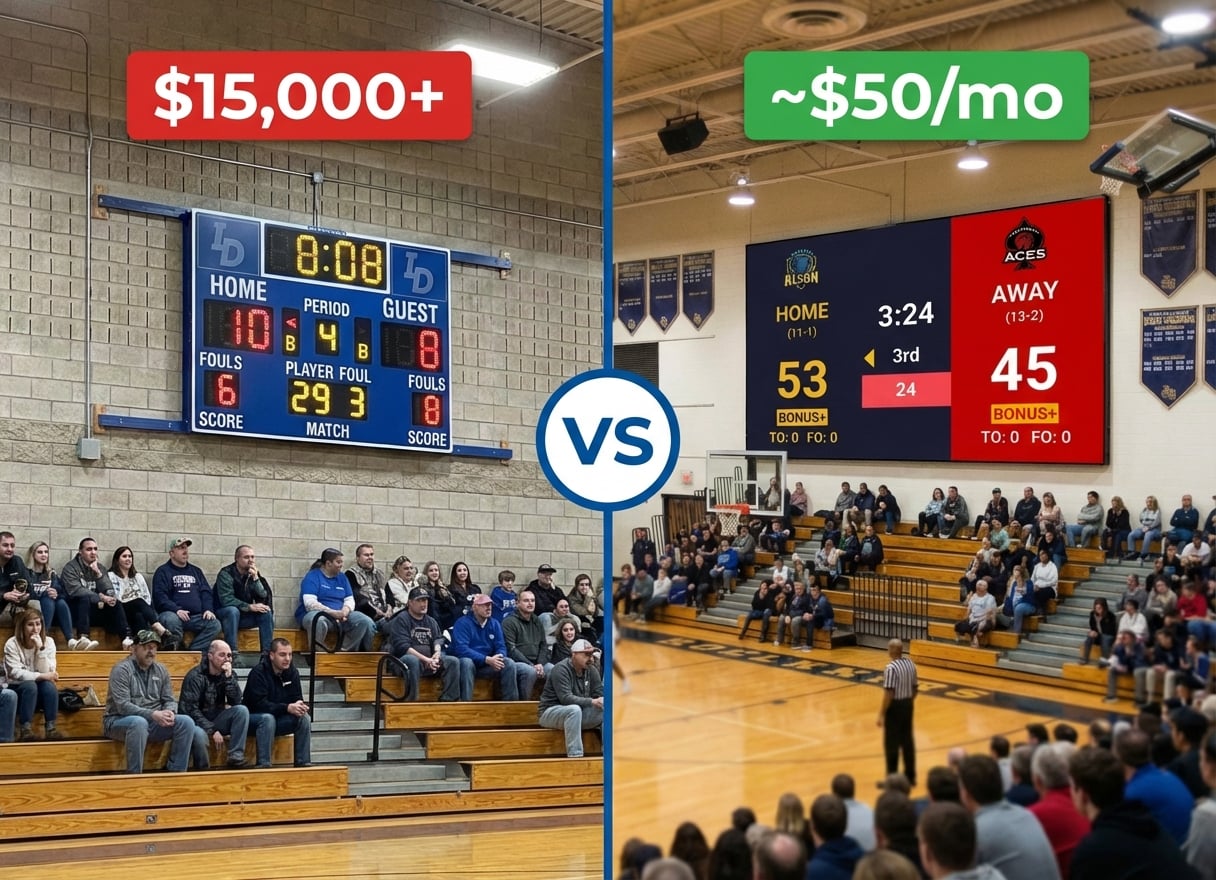
Your school invested in a beautiful LED wall for the gym. The hardware is installed, the HDMI ports are there, and everyone's excited to finally have a modern scoreboard system.
Then you get the quote for the software: $15,000 minimum for Daktronics. ScoreVision wants $8,000 per year. Suddenly, that "complete" LED scoreboard system has a price tag that makes administrators wince.
Here's the thing: these are fundamentally different products. Daktronics manufactures physical LED scoreboard hardware. KeepTheScore is cloud software that turns any screen into a scoreboard. Comparing them isn't apples-to-apples — it's asking whether you need dedicated hardware or whether software on existing screens can do the job.
For many schools, the answer saves thousands of dollars.
Hardware vs Software
Daktronics has been building physical scoreboards since 1968. Their products are permanent installations:
- LED panels
- Controllers
- Wiring
- Custom mounting hardware
You buy the display, pay for installation, and get a dedicated scoreboard that does one thing well.
KeepTheScore is the opposite approach. It's a web application that runs in any browser. Your "scoreboard hardware" is whatever screen you already have:
- A TV
- A projector
- An LED wall
- A laptop
Connect via HDMI, open the URL, press fullscreen. Done.
Neither approach is inherently better. They serve different needs at vastly different price points.
Cost
This is where the comparison gets stark.
A typical Daktronics setup adds up fast:
- Display alone: ~$2,000+
- Controller: $800–$3,800
- Professional installation: additional cost
- Single-sport total: $5,000–$15,000
- Multi-sport, video boards, or outdoor: $100,000+
KeepTheScore is a fraction of that:
- Free tier with functional scoreboards for any sport
- Paid plans (custom branding, advanced themes): ~$50/month
- A $300–$500 TV from any electronics store completes the setup
For schools with tight budgets, that math is hard to argue with.
Installation and Setup
Daktronics requires professional installation. Someone needs to:
- Mount the hardware
- Run wiring
- Configure the controller
- Test everything
Lead times are weeks to months depending on the product and installer availability.
KeepTheScore takes under 60 seconds. Open the website, pick your sport, create a scoreboard. Connect your laptop to a TV via HDMI. Press F11 for fullscreen. You can have a working scoreboard before the end of this paragraph.
For a school that needs a scoreboard for tonight's game, there's no contest.
Durability and Visibility
This is where Daktronics genuinely excels and no software solution can compete.
Daktronics outdoor displays are built for punishment:
- Weather-rated and impact-resistant
- Readable from 200+ feet away in direct afternoon sun
- Survive rain, snow, and errant baseballs
- Last for years with minimal maintenance
A TV running KeepTheScore can't match that — it won't survive a rainstorm, isn't readable in direct sunlight, and isn't impact-resistant.
For outdoor stadiums that need permanent, all-weather scoreboards, Daktronics (or similar hardware manufacturers) is the right choice. For indoor gyms, multi-purpose rooms, and community centers, a TV or projector with KeepTheScore works beautifully.
Streaming
Daktronics has no native streaming integration. Their scoreboards display in the venue only. If you want the score on a live stream, you need a separate solution:
- Camera pointed at the physical scoreboard
- Manual overlay in OBS
- A third-party integration
KeepTheScore was built for streaming from the start. Every scoreboard URL works as an OBS browser source with transparent background support. Many schools use KeepTheScore for both: display on the gym TV via HDMI and simultaneously as a streaming overlay in OBS. One scoreboard, two audiences, one phone to control it all.
For organizations that stream games for remote families, this dual-output capability is a significant advantage.
Multi-Sport Flexibility
Daktronics controllers are configured for specific sports. Switching from basketball to volleyball may require controller reprogramming or different controller hardware entirely. Some advanced systems handle multiple sports, but at additional cost.
KeepTheScore switches sports in seconds:
- Basketball scoreboard for Friday's game
- Volleyball scoreboard for Saturday's tournament
- Wrestling scoreboard for Wednesday's match
All from the same account, all displayed on the same TV.
For schools that host multiple sports in the same gym throughout the week, this flexibility eliminates a real operational headache.
Feature Comparison
| Feature | KeepTheScore | Daktronics |
|---|---|---|
| Starting cost | Free ($0) | ~$2,000+ (hardware only) |
| Requires hardware purchase | ✗ | ✓ |
| Professional installation required | ✗ | ✓ |
| Setup time | < 60 seconds | Weeks to months |
| Outdoor daylight visibility | No (screen-dependent) | ✓ |
| Weather-rated / impact-resistant | ✗ | ✓ |
| Live streaming integration | Yes (native OBS) | ✗ |
| Switch sports instantly | ✓ | Requires reconfiguration |
| Remote score control from phone | ✓ | Bluetooth app (basic) |
| Sponsor panels / ad revenue | ✗ | ✓ |
| Video display / replays | ✗ | Yes (video board models) |
| Ongoing maintenance | None (cloud) | Hardware servicing |
Which One Should You Choose?
Choose Daktronics if...
- You need a permanent outdoor scoreboard visible in direct sunlight
- You need weather-rated, impact-resistant physical display
- You want built-in sponsor/ad panels for revenue
- Budget allows for professional-grade hardware investment
Choose KeepTheScore if...
- You need a scoreboard today, not weeks from now
- Budget doesn't allow for dedicated hardware
- You're live-streaming and need native OBS overlay
- You host multiple sports and need to switch quickly
- You're a school, rec league, or youth org looking for maximum value
Frequently Asked Questions
"Will KeepTheScore work with our existing LED wall?"
If your LED wall has HDMI input (which it almost certainly does), yes. KeepTheScore runs in any browser — just connect a laptop to the LED wall via HDMI and open the scoreboard URL fullscreen.
"What if our internet goes out during a game?"
Once the scoreboard page loads, it works offline for basic score updates. For best reliability, use a mobile hotspot as backup or ensure your gym has stable Wi-Fi.
"Can we use this for multiple gyms?"
Yes. Create different scoreboards for each gym, save the URLs, and use them whenever needed. There's no per-venue licensing fee.
"What about streaming games?"
KeepTheScore works perfectly as a browser source in OBS, Streamlabs, or vMix. Many schools use it for both in-gym display (LED wall) and live stream overlay simultaneously.
"Can parents see the score remotely?"
Yes. Every scoreboard has a shareable view-only URL. Parents, fans, or scouts can follow the game in real-time from anywhere with the link or QR code.
Try KeepTheScore Today
No hardware purchase. No installation. No waiting. Create your first scoreboard in under a minute and display it on any screen.
Information about Daktronics was accurate as of March 2026. Visit https://www.daktronics.com for latest details.