You searched for "scoreboard software," downloaded PC Scoreboards, and it looked promising. Then you hit the friction:
- Windows only
- A USB dongle that has to stay plugged in during every game
- A separate license for every sport
- Admin rights required — which your school IT department won't hand over without a fight
There are simpler options. Several scoreboard tools now run in a browser, work on any device, and cover every sport without per-sport licensing. This page compares KeepTheScore and PC Scoreboards across the dimensions that matter most for schools and leagues.
Cloud-Based vs Desktop Installation
PC Scoreboards is a traditional desktop application with several constraints:
- You download and install it on a Windows PC
- The software lives on that one machine
- It needs a USB dongle plugged in to run
- If that dongle gets lost or damaged, your scoreboard is dead until a replacement arrives
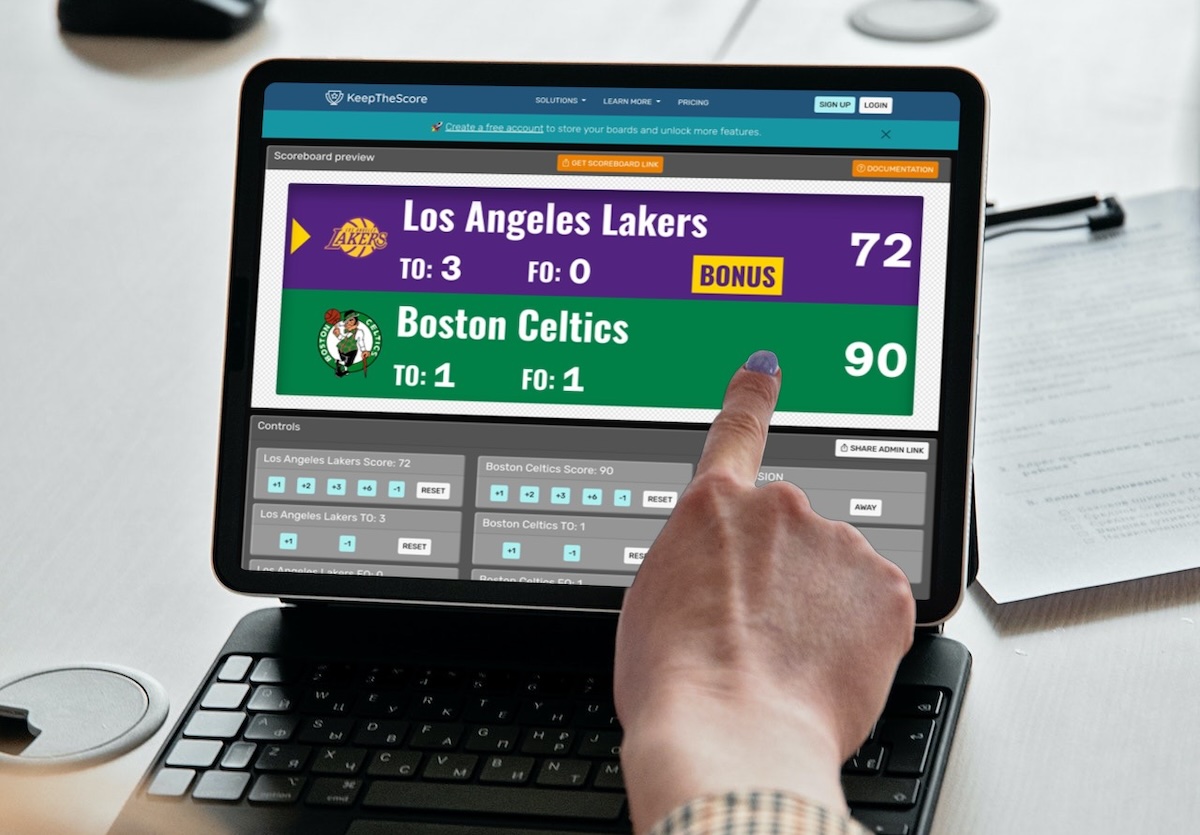
KeepTheScore takes the opposite approach. It runs entirely in a web browser. Open a URL, and your scoreboard is ready — on any device, any operating system. There's nothing to install, no dongle to lose, and no admin rights required. A volunteer can pull it up on their personal laptop five minutes before tipoff.
For schools juggling multiple venues and rotating volunteers, this difference matters. You're not tied to "the scoreboard computer" that only one person knows how to operate.
Streaming Integration
If you live-stream games, KeepTheScore has a clear advantage. Every scoreboard has a URL you can add directly as a browser source in OBS, Streamlabs, or vMix — with transparent background support built in. The overlay updates in real-time as scores change.
PC Scoreboards was designed for local display, not streaming. To get it into OBS, you'd need to use window or screen capture, crop it, and hope the layout doesn't shift. There's no native transparent overlay mode.
For schools and leagues that stream to YouTube or Facebook for remote families, KeepTheScore eliminates the extra setup.
Pricing Model
PC Scoreboards uses a one-time license model, but charges per sport. Need basketball, football, and baseball? That's three separate purchases — and there's no free trial to test before buying.
KeepTheScore takes a different approach:
- Free tier lets you create and use scoreboards with no payment
- All sports included in a single subscription
- Premium features (custom logos, advanced themes, ad-free experience) available when you're ready
- Test everything before committing
For budget-conscious schools, the ability to try before buying — and cover all sports in one plan — removes significant financial risk.
Remote Score Control
With PC Scoreboards, the scorer must sit at the computer running the software. If the laptop is connected to a projector across the gym, someone has to physically be at that laptop.
KeepTheScore separates the display from the controls:
- Scoreboard displays on one screen (TV, projector, LED wall)
- Scorekeepers control it from their phones, tablets, or any other device
- Multiple people can control the same scoreboard simultaneously — one person handles the score, another manages the clock
This flexibility is a game-changer for volunteer-run events where you can't always guarantee a dedicated scorer at a fixed station.
Updates and Maintenance
PC Scoreboards requires manual updates:
- Download new versions from the website
- Install over the existing software
- Hope nothing breaks with your existing setup
KeepTheScore updates automatically in the cloud. Every time you open the scoreboard, you're running the latest version with the newest features and bug fixes. There's nothing to maintain on your end.
Feature Comparison
| Feature | KeepTheScore | PC Scoreboards |
|---|---|---|
| No software installation | ✓ | ✗ |
| Works on Mac / Chromebook / tablet | ✓ | ✗ |
| Free tier available | ✓ | ✗ |
| One-click OBS integration | ✓ | No (screen capture needed) |
| Remote score control from phone | ✓ | ✗ |
| Multiple simultaneous scorekeepers | ✓ | ✗ |
| Transparent overlay for streaming | ✓ | Varies |
| Sport-specific scoreboards | Yes (16+) | ✓ |
| Game clock / shot clock | ✓ | ✓ |
| Team logos and custom colors | Yes (paid) | ✓ |
| Offline operation | ✗ | ✓ |
| Full local hardware control | ✗ | ✓ |
Which One Should You Choose?
Choose PC Scoreboards if...
- You need fully offline operation with no internet
- You have a dedicated Windows PC at your venue
- You prefer one-time purchase over subscription
Choose KeepTheScore if...
- You stream games and need easy OBS integration
- You want multiple people controlling the scoreboard from their own devices
- You need cross-platform support (Mac, Chromebook, tablet, phone)
- You want to try free before paying
Frequently Asked Questions
"Can I use KeepTheScore on a Mac or Chromebook?"
Yes. KeepTheScore runs in any browser on any operating system — Windows, Mac, Linux, ChromeOS, iOS, or Android. No installation required.
"What if my internet goes out during a game?"
Once the scoreboard page loads, it works offline for basic score updates. For best reliability, use a mobile hotspot as backup.
"Do I need to buy a separate license for each sport?"
No. KeepTheScore includes all sports — basketball, football, volleyball, baseball, soccer, and more — in a single subscription.
"Can multiple people control the scoreboard at the same time?"
Yes. Share the control panel URL with scorekeepers, coaches, or announcers. Each person can update scores from their own device simultaneously.
"Is it good enough for live streaming?"
Yes. KeepTheScore works as a browser source in OBS, Streamlabs, or vMix with transparent background support. Many schools use it for both in-venue display and live stream overlay. Full streaming guide here.
"How do I switch from PC Scoreboards?"
There's nothing to migrate. Create a new scoreboard on KeepTheScore, bookmark the URL, and you're ready. Most organizations test during practice games, then switch for regular games once scorekeepers are comfortable.
Try KeepTheScore Today
No installation. No dongle. No commitment. Create your first scoreboard in 30 seconds and test it on any screen before your next game.
Information about PC Scoreboards was accurate as of March 2026. Visit https://pcscoreboards.com for latest details.