A hockey mom's streaming station at center ice—one person managing video, play-by-play commentary, and scorekeeping for families watching across North America
Competitive travel hockey costs $7,000 per player. The season runs 50-55 games across eight months. Not every family can make it to every game. Summer, an electrical engineer in Henderson, Nevada, decided to fix that problem herself.
"I would stream the games for my parents because they couldn't make it to all the games. My mom has Parkinson's, so she didn't always feel well."
— Summer, Larrison Sports Broadcasting
What started as streaming for grandparents became Larrison Sports Broadcasting: professional play-by-play commentary, live scoreboards, and archived YouTube games — all produced solo.
The tricky part isn't streaming video. It's doing everything at once: camera positioning, play-by-play announcing, scorekeeping, tracking goals and assists on paper, monitoring WiFi and stream health, and adding YouTube bookmarks after the game. Summer has two hands.
From Phone Streams to Broadcast Setup
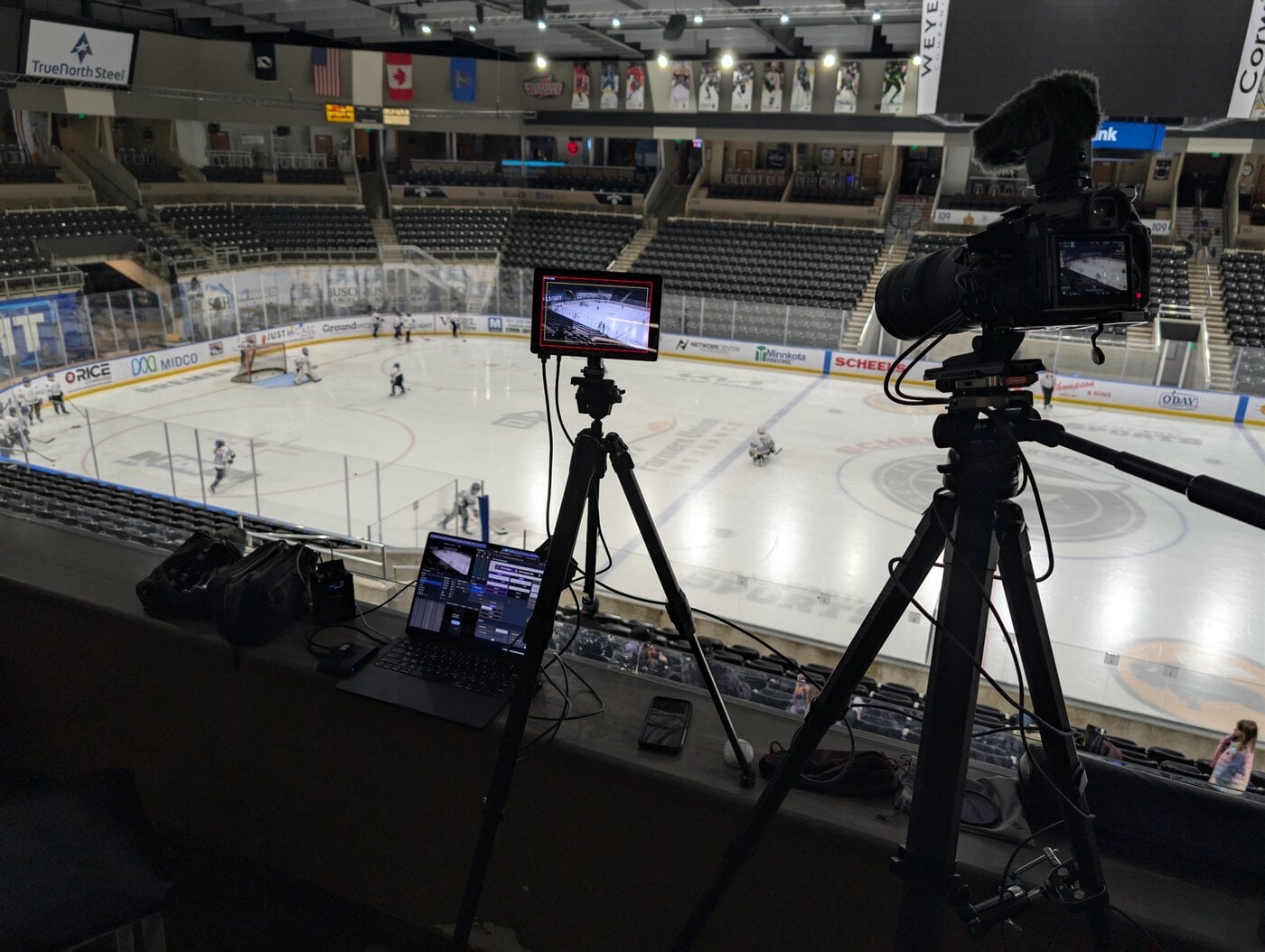 The view from center ice at the Scheels Arena in Fargo: Summer's full broadcasting rig ready for a tournament game
In 2018, Summer started simple: phone, tripod, Facebook Live. No scoreboard, just calling out the score regularly. No downloads, no archives. But the grandparents could watch.
A dad from Arizona who ran a streaming business sent her his entire setup documentation — OBS Studio, YouTube streaming, the works. She upgraded to a Surface laptop, Elgato Stream Deck, and custom scoreboards built in Canva modeled after NHL broadcasts.
Too much. The complexity became unmanageable solo. Quality suffered.
The fix came when Summer realized what actually mattered to her audience: the commentary. Parents put streams on at work and listened like radio. She needed to simplify everything else.
After seeing another dad using KeepTheScore, she tested it:
"I felt like this could help me keep things simple... it did make it easier for me to have those important things on the stream."
— Summer on discovering KeepTheScore
The Solo Production Setup
Summer travels to tournaments with a compact rig: Microsoft Surface running OBS Studio, phone camera, Elgato Stream Deck, personal WiFi hotspot, and a pop-up tray to hold it all.
Before Each Game
- Customize KeepTheScore hockey scoreboard with team colors and logos
- Set up OBS Studio overlays with sponsor graphics
- Position camera at center ice
- Connect WiFi and test stream
During the Game
Summer handles video and commentary. Someone else handles the scoreboard.
"I actually send the link to another parent on my team and I have her run the scoreboard clock and score for me to help. Like I said, anything I can do less of to make the call more accurate is better."
— Summer on delegating scorekeeping
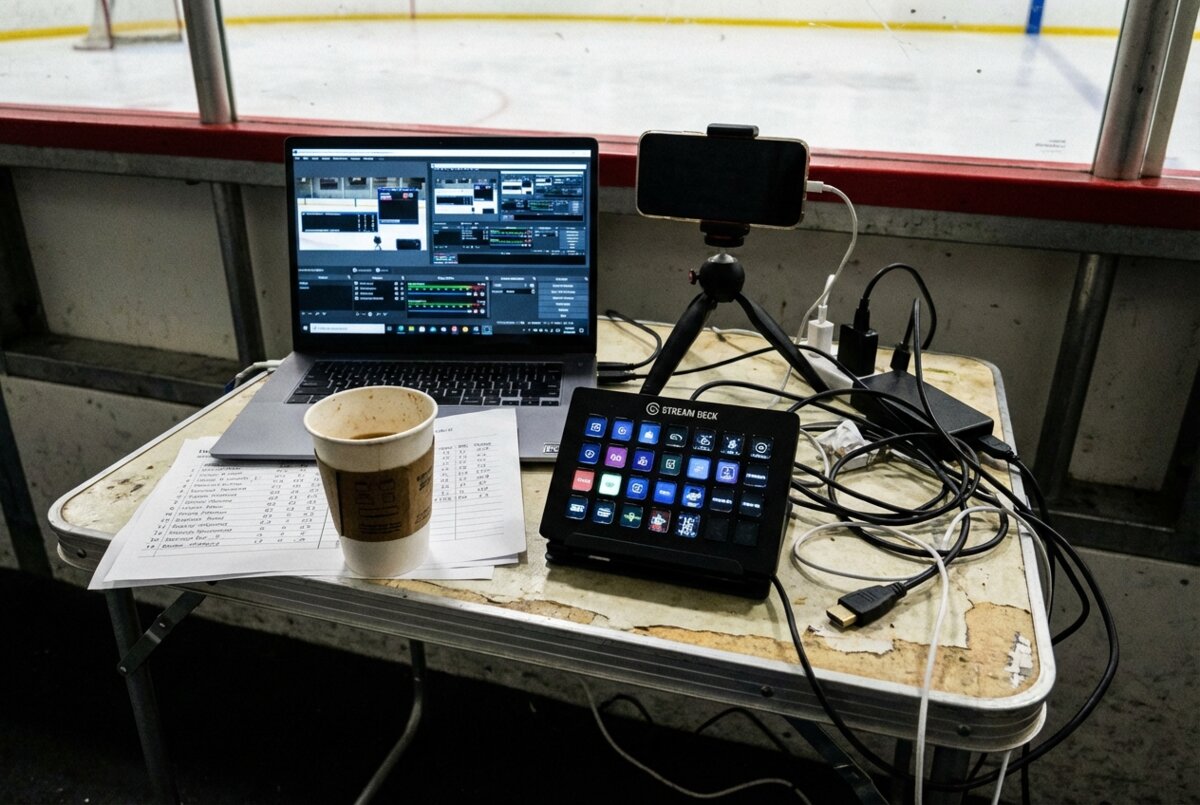 The reality of solo streaming: laptop, phone, Stream Deck, stats sheets, and tangled cables—everything needed to run a professional broadcast from a rink-side tray table
The remote helper can control KeepTheScore from anywhere — sitting in the stands, at home, or in another state. They just need the link and a phone.
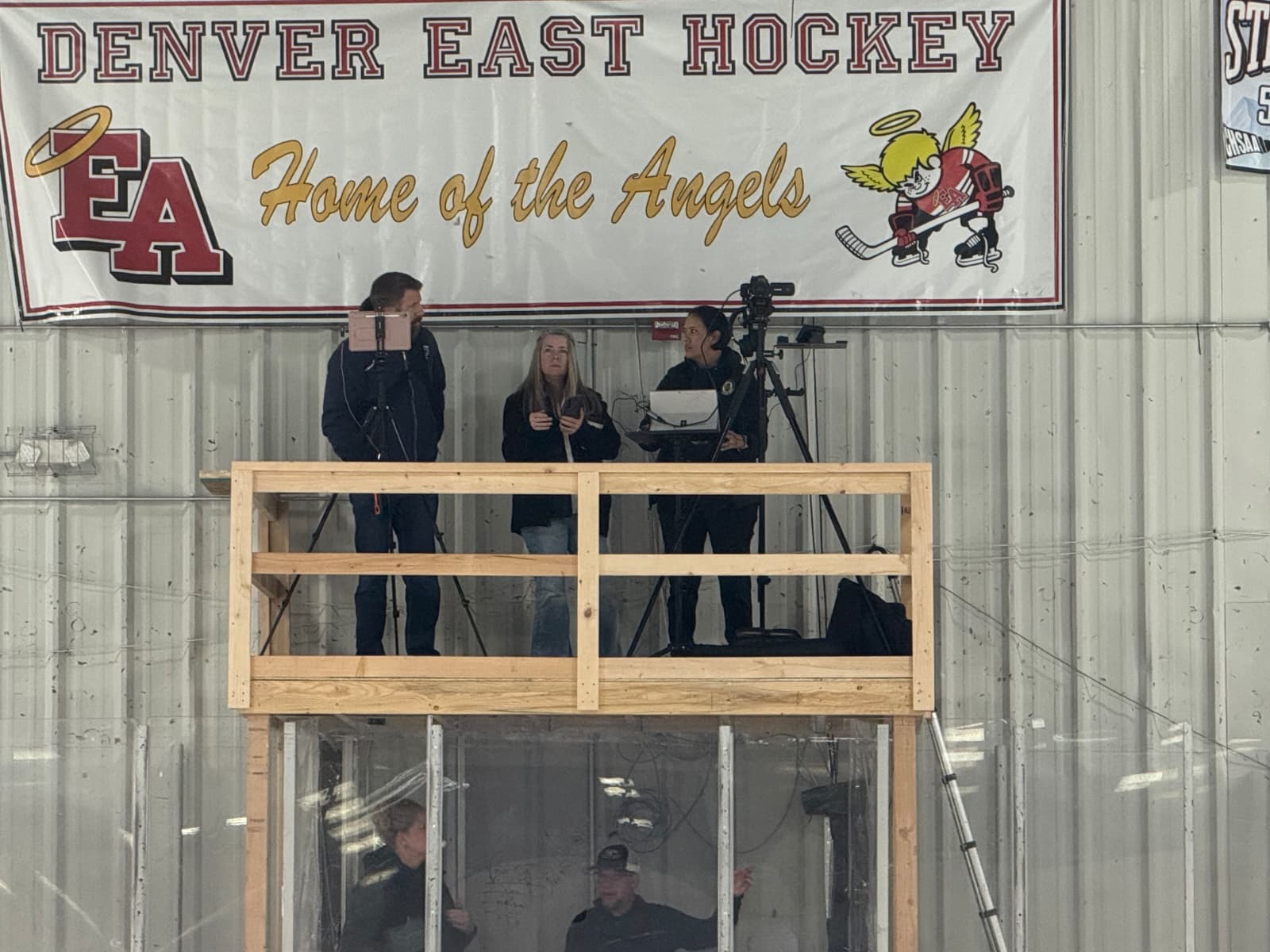 Teamwork at center ice: Summer and fellow streaming parent Larae coordinate their broadcasts, part of the small community of parents who've mastered solo sports streaming
After the Game
Summer adds YouTube bookmarks for every goal so kids can find and clip their best plays for college coaches and junior teams.
What This Actually Accomplishes
Families Watch from Everywhere
Grandparents who can't travel. Parents saving money. Siblings with schedule conflicts.
"They appreciate it because all their family can watch back in Canada or Ohio or wherever they were."
— Summer
Real Money Saved
Tournaments in Boston, Chicago, Dallas, Denver, Utah, Idaho, California. Travel costs add up. Families save by sending one parent instead of two.
For a family attending 10-12 tournaments per season, saving one plane ticket per tournament could mean $3,000-5,000 — nearly offsetting the $7,000 season dues.
Recruiting Footage
Archived games become recruiting assets. Players link to YouTube videos on platforms like NCSA. Summer's bookmarked goals make it easy to create highlight reels for college coaches.
Sponsorship Revenue
The streaming operation became a sponsorship platform:
"We have sponsors now with my son's team the last couple of years. So we use that as a platform to be able to sell sponsorships for the team, that we'll advertise them on the live streams of the games."
— Summer
Last year, sponsorships covered all extra costs beyond the base $7,000 dues — additional tournament fees, coach expenses, team meals — and even returned money to parents.
The Numbers
- 30-35 games streamed per season (of 50-55 total)
- 10-12 tournaments nationwide
Engineering Mindset at Work
Summer's background shapes how she approaches problems:
"I feel like being an engineer kind of helps me because I like to know how things work and understand how things work. So I know if it's operator error on my part, why something's not working, or if it's something outside of me that's not working so that I can fix it."
— Summer on her engineering approach
When something breaks during a live broadcast, knowing whether it's user error, software, or connectivity makes the difference between a quick fix and a ruined stream.
The Streaming Parent Community
At every tournament, a small group of parents congregates at center ice with their streaming rigs. "We all congregate in the middle of the ice, right in about the same spot," Summer notes. They share software tips, configurations, and troubleshooting tricks — an informal network of people solving the same problem.
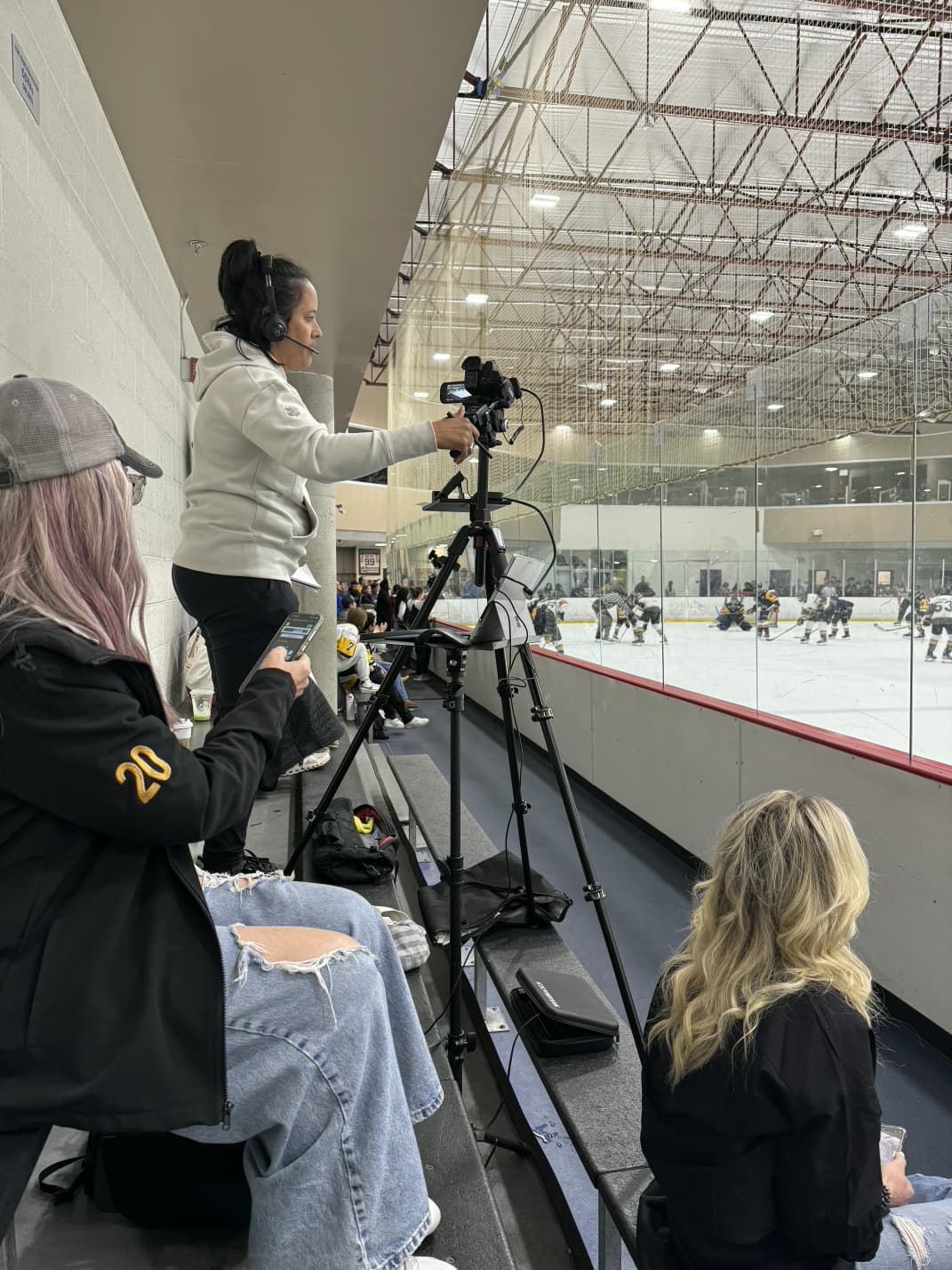 In the zone: Summer calling play-by-play during a game, balancing commentary, scorekeeping, and technical management
What Actually Matters
Get the basics right first
Start with phone + Facebook Live. Add complexity only when you've outgrown what you have.
Commentary beats graphics
Families listen at work like radio. Clear play-by-play matters more than flashy overlays.
Delegate the scoreboard
Remote helpers via shared links eliminate the hardest multitasking problem. You can't call plays and update scores simultaneously.
Connect with other streaming parents
The informal network at tournaments provides solutions you won't find in documentation.
Technical Notes
- OBS Studio browser source for live scoreboards
- Elgato Stream Deck for quick overlay switching
- Personal WiFi hotspot — arena WiFi is unreliable
- YouTube bookmarks for goals enable highlight reel creation
- Sponsor overlays generate team revenue
Want to add professional scoreboards to your sports streams? Get started with KeepTheScore.