Product Information
Thank you for contacting Keep The Score about your scoring system needs. We appreciate your inquiry and want to set the right expectations about what we offer.
Keep The Score is a web-based scoring software platform. We provide digital scoreboard software that runs in any web browser — we do not manufacture, sell, or install physical hardware.
What We Provide
Our software transforms any screen — TV, monitor, projector, or tablet — into a fully-featured sports scoreboard. Score operators control the board remotely from a phone or laptop, while the audience sees a professional display in real time.
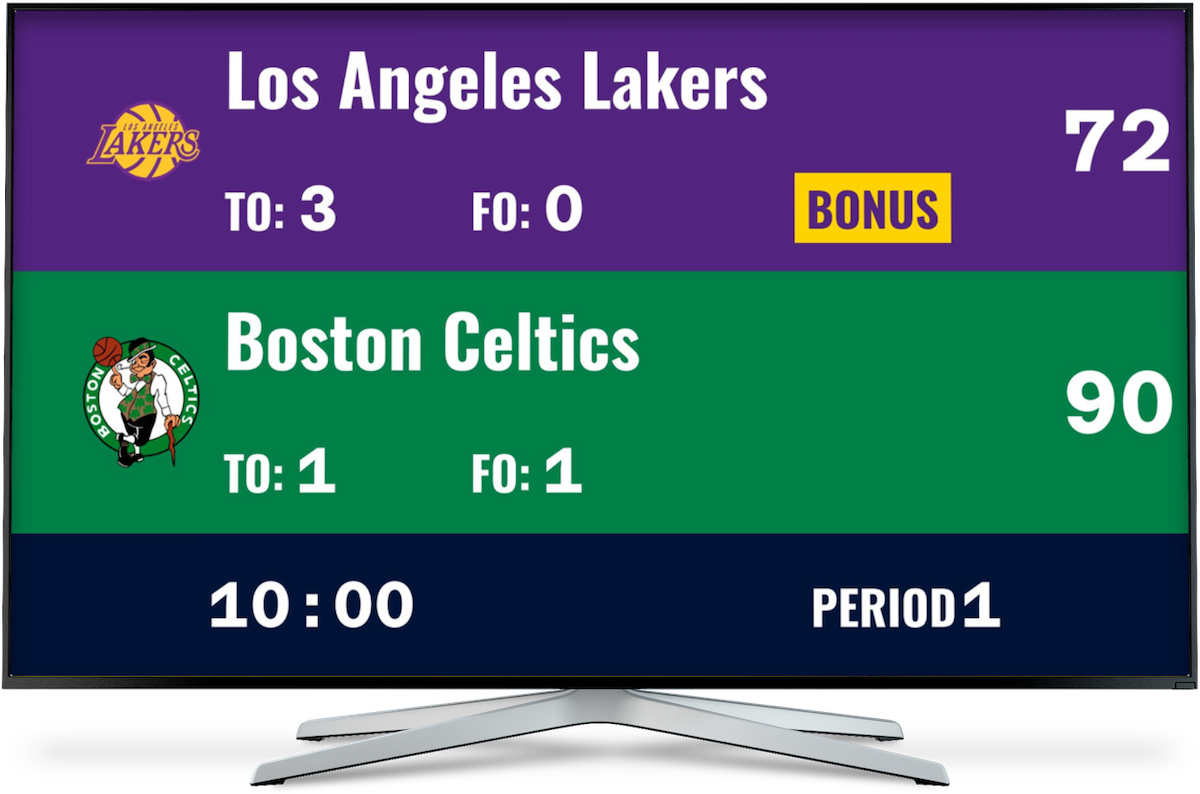
This means you can pair our software with any display hardware that suits your venue and budget. A simple TV or projector connected to a laptop, tablet, or Chromebox is all you need.
Common Hardware Requests We Cannot Fulfill
| Item | We Provide? | Recommendation |
|---|---|---|
| Mounted shot clocks | No | Contact Daktronics, Nevco, or a local sports equipment supplier |
| Wall-mounted LED screens | No | Contact a local AV integrator or display vendor |
| Physical scoreboards | No | Contact Daktronics, Nevco, or similar manufacturers |
| Installation services | No | Local AV companies can mount and configure displays |
| Remote scoring software | Yes | This is our specialty — see below |
Our Scoring Software — Feature Overview
Keep The Score supports 16+ sports with dedicated scoreboard templates. Here are two examples relevant to school athletics:
Basketball Scoreboard
- Game clock with countdown timer
- Shot clock (24 or 30 sec, configurable)
- Period tracking (quarters + overtime)
- Team fouls with bonus indicators
- Timeouts remaining per team
- Possession arrow
- 3-pointer celebration animation
- Multiple layout options
- Team logos and custom colors (Pro)
Volleyball Scoreboard
- Set tracking (best of 3 or 5)
- Rally scoring to 25 (15 for deciding)
- Win by 2 rule enforcement
- Serve indicator with ball icon
- Timeout tracking per team
- Set history display
- Side switch reminders
- Custom team colors (Pro)
Key Platform Capabilities
- Remote control — Score from any phone, tablet, or laptop via a separate control URL
- Real-time sync — All connected screens update instantly
- No app required — Runs entirely in the web browser
- Fullscreen display — Designed for projection onto TVs, monitors, and projectors
- QR code sharing — Spectators can follow along on their own devices
- Streaming integration — Works as a browser source in OBS Studio for livestreaming
- Keyboard shortcuts — Fast scoring with hotkeys
- Buzzer sounds — Audio alerts for period end, shot clock, and score changes
How It Works With Your Displays
Pricing
| Plan | Cost | Boards | Key Features |
|---|---|---|---|
| Free | $0 | 2 | All sports, basic customization |
| Plus | ~$14/mo or ~$99/yr | 20 | Multiple boards for different courts/sports |
| Pro | ~$26/mo or ~$199/yr | 200 | Team logos, custom colors, priority support |
All prices in USD, excluding applicable taxes. Annual plans offer approximately 50% savings. Most features are free to use at keepthescore.com.
Next Steps
We recommend the following approach:
- Try the free scoreboard at keepthescore.com to evaluate the software with your sports
- Source your display hardware from a local AV vendor or sports equipment supplier
- Choose a plan that fits your number of courts and customization needs
We are happy to answer any questions about how our software can complement your display hardware.